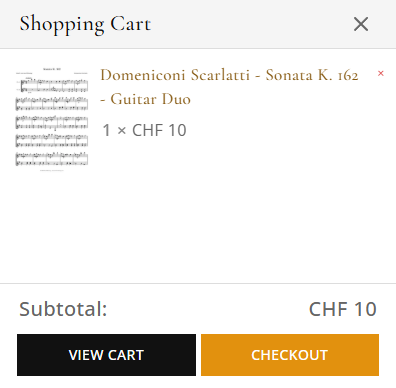
Tip: You can adjust quantities or remove items on the Cart page before checkout.
2. Complete Checkout
On the Cart page, click “Proceed to Checkout.”
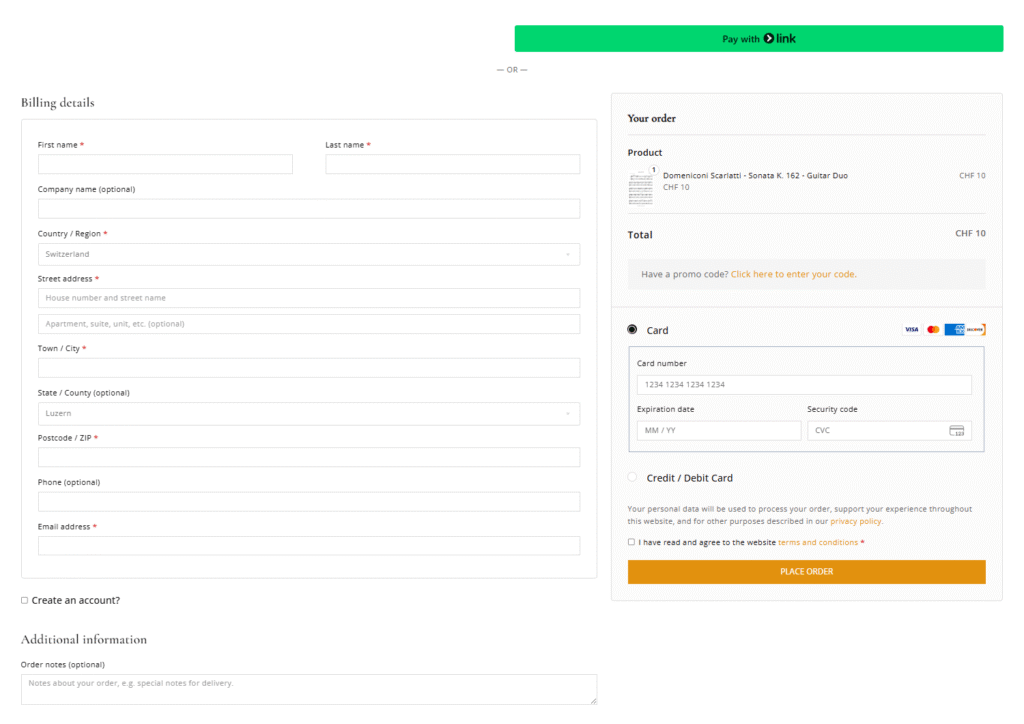
Fill in your billing details and choose a payment method.
Review your order summary, then click “Place Order.”
3. Access Your Downloads
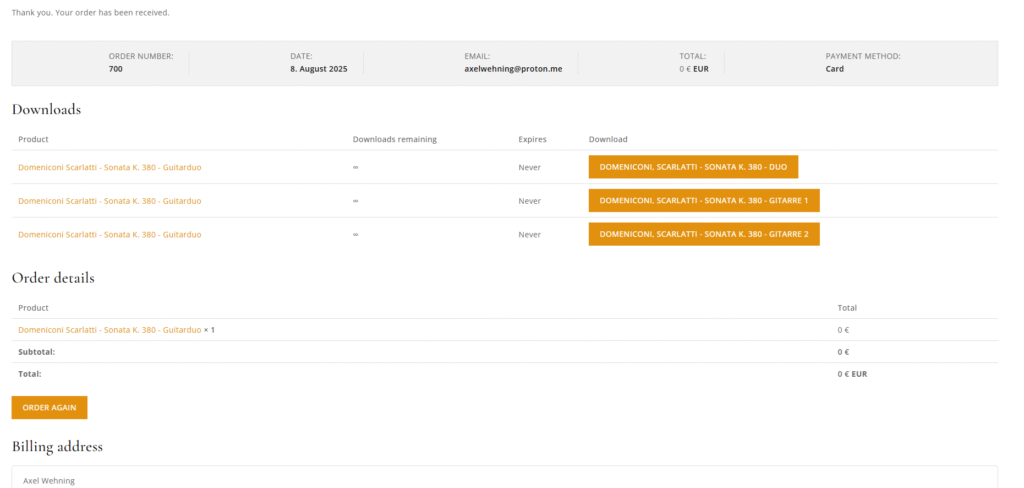
As soon as your payment is confirmed (instant for most gateways), you’ll be redirected to your Order Received page.
Scroll down to the “Downloadable Products” section.
Click the “Download” link next to each tab file.
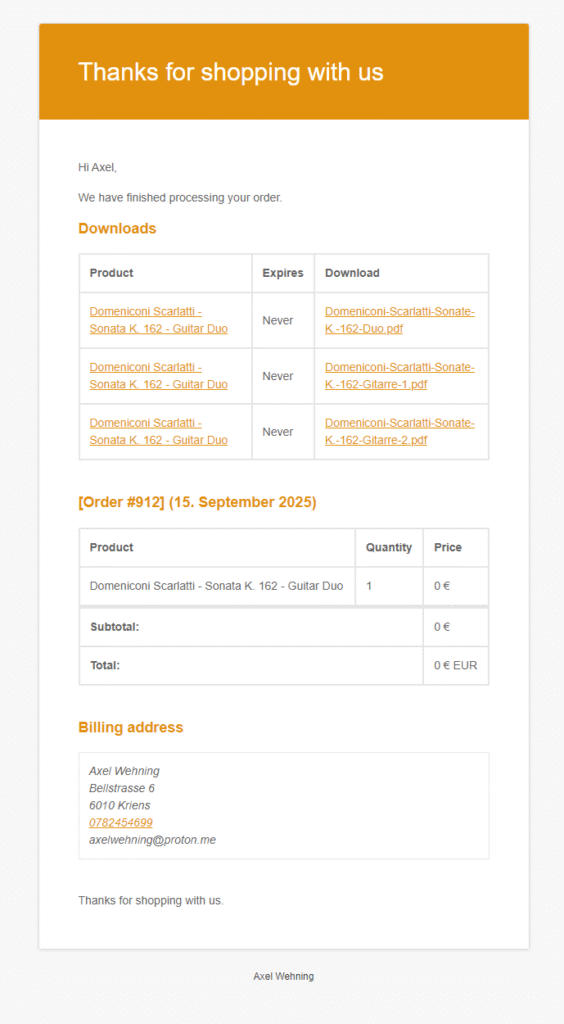
Note: If you don’t see the download links right away, check your order email—we send the same links there automatically.
4. From Your Account Page
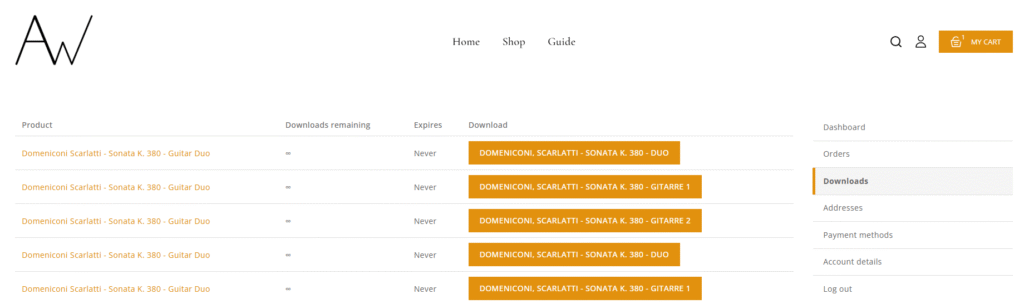
You can retrieve your tabs any time by logging in:
Click “My Account” in the site header.
Under “Downloads”, you’ll see all your purchased tab files.
Click “Download” to save them again.
Troubleshooting
Issue
Solution
Download link expired/error
Make sure you’re logged into the same account used to purchase. If problem persists, contact us.
Wrong file opens
Right‑click and choose “Save As…” to ensure you download the file rather than view it in browser.
Browser won’t start download
Try a different browser (Chrome, Firefox, Safari) or disable any download‑blocking extensions.
Need More Help?
If you run into any issues or have questions about your tabs, drop us a line at support@axel-wehning.com. I’m happy to help you get playing right away!
We care about your privacy
In order to provide you a personalized shopping experience, our site uses cookies. By continuing to use this site, you are agreeing to our cookie policy.
Shopping Cart
Your cart is empty
No items in your cart. Go on, fill it up with something you love!